Installation Guide
Follow our simple installation process to effortlessly set up CrankBite on your Hammerhead Karoo and elevate your cycling experience.
CrankBite can be installed directly on compatible Hammerhead Karoo devices using the Hammerhead Companion app.

Download CrankBite
Download the CrankBite APK file to your phone.
Open the downloaded file and choose Share, then select the Hammerhead Companion app.

Install on your Karoo
Follow the instructions in Hammerhead Companion to install CrankBite on your Karoo.
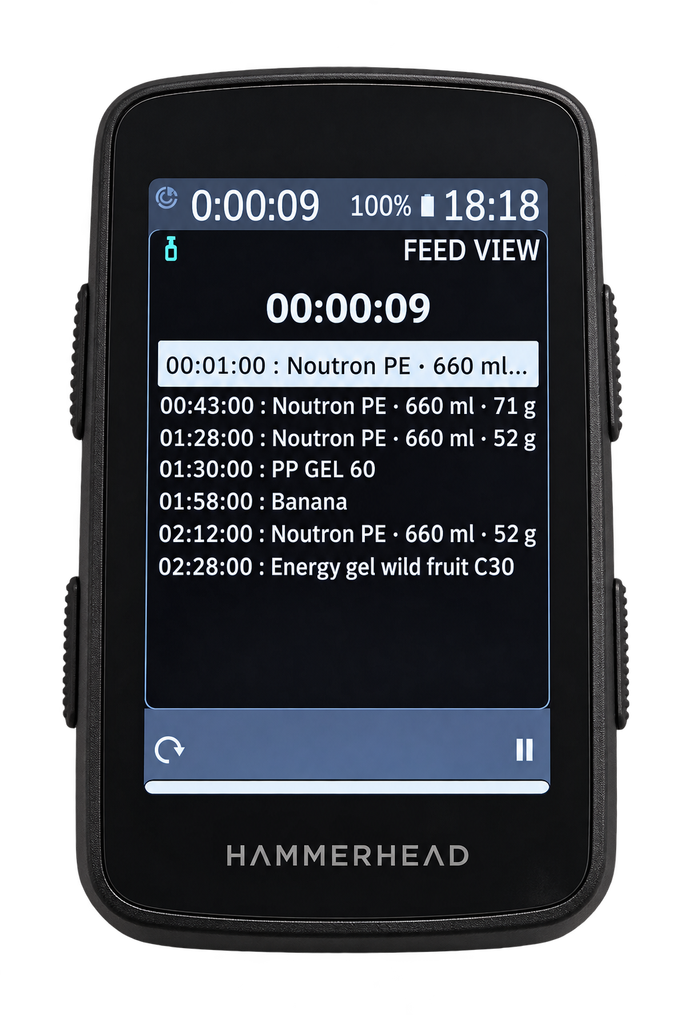
On your Karoo, add the CrankBite Feed View and/or Next Feed data field to your preferred ride profile.

Connect to CrankBite
Open the CrankBite settings on your Karoo and enter your CrankBite device token.
Once connected, your fueling plan is automatically downloaded to your Karoo and CrankBite will remind you when it’s time to eat or drink.

Elevate Your Cycling Performance Now
This section guides you through the easy setup process on your Hammerhead Karoo using the Companion app. It highlights how you can seamlessly sync your nutrition plans and track fueling reminders to optimize every ride.